Drills and duty roster

Who’s coming to the drill? You can see it at a glance.

Create drills and duties, accept or decline with one tap, a reminder for everyone who hasn’t replied yet – in the same app your brigade also uses to chat, reserve vehicles and report defects.

30 days free, no credit card and no automatic renewal.

  • Accept or decline with one tap
  • Reminder for everyone who hasn’t replied
  • Servers in Germany
More than an RSVP app: what else your brigade handles with it
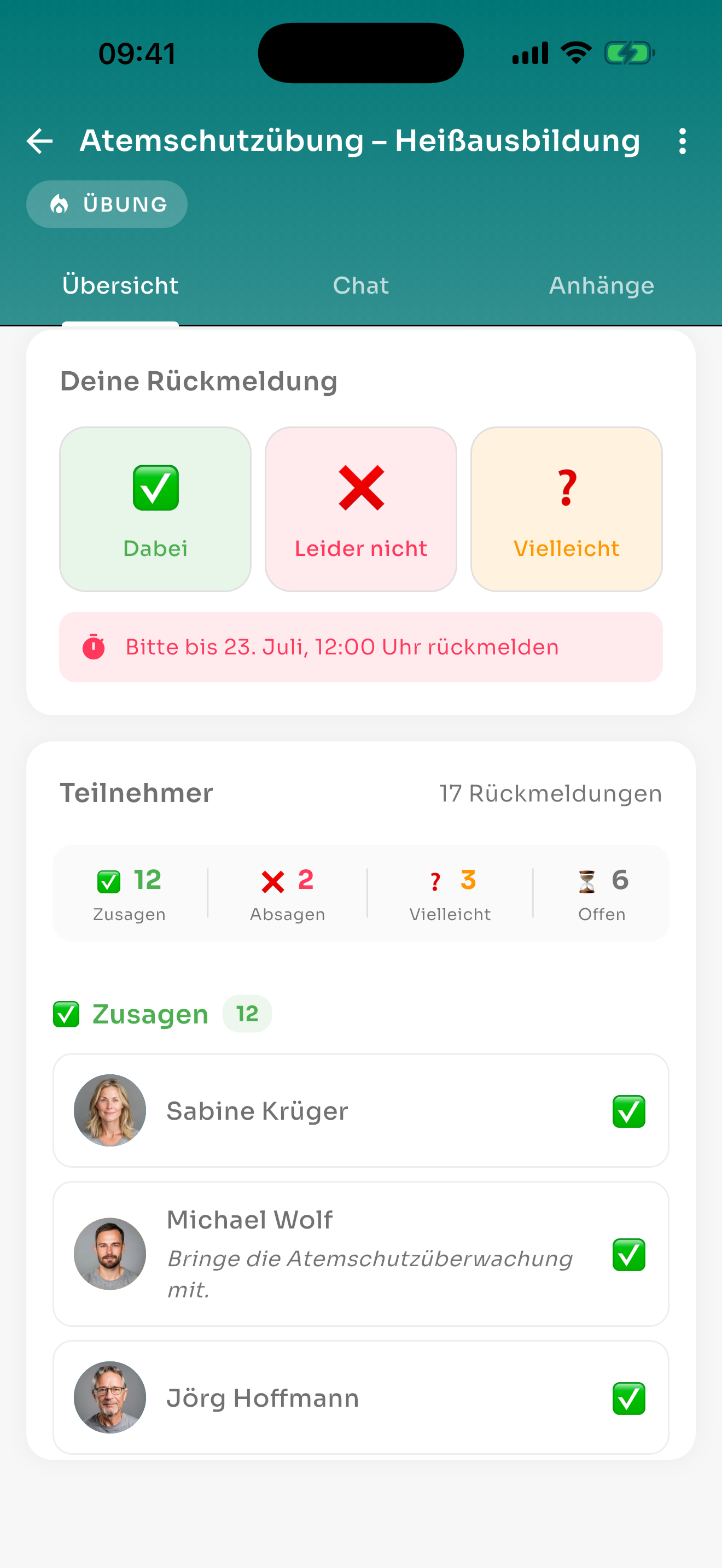
echoBOS app – breathing apparatus drill with 12 accepted, 2 declined, 3 maybe and 6 open responses

Sound familiar?

Typical questions about drill nights – and how echoBOS answers them.

“Who’s actually coming to Thursday’s drill?”

Every member accepts, declines or answers “maybe” in the app with one tap. You see accepted, declined and open responses at a glance.

“Half of them haven’t replied yet.”

Set a response deadline and switch on the evening reminder: anyone who hasn’t replied gets a reminder every evening at 7 pm until the event starts.

“Who do I need to chase up?”

Whoever created the event can see by name who hasn’t replied yet – and so can your brigade’s administrators.

“Will there be enough food after the drill?”

With the meal question, echoBOS asks with every acceptance who will be eating.

“The drill is cancelled – will everyone find out?”

Cancel the event in the app and everyone invited gets a notification. The same applies if you change the time or place.

“The duty roster for the next six months is already in Excel.”

You bring it over with an Excel template. Before importing, echoBOS shows a preview with all errors found.

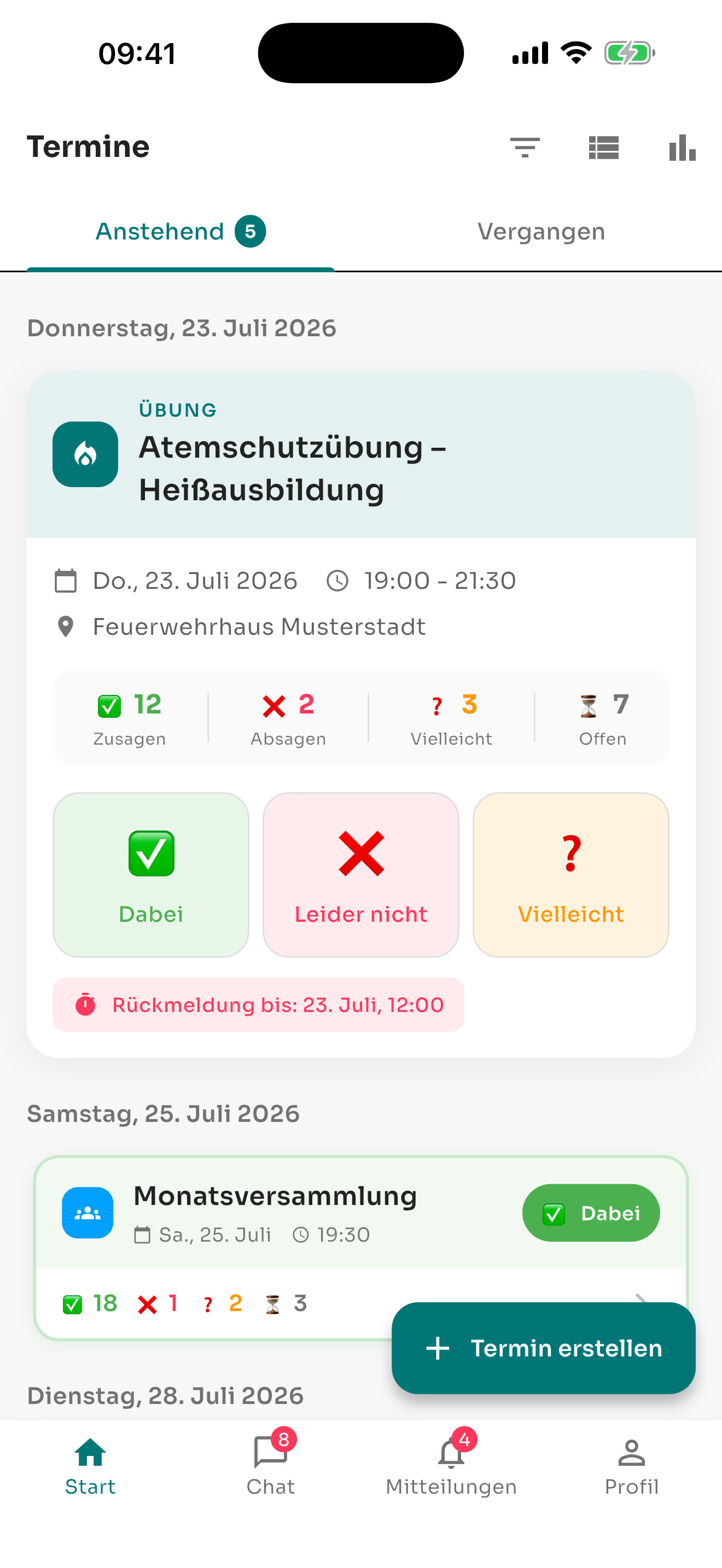
echoBOS app – list of events with accepted and declined responses and the response deadline

How your drill nights work with echoBOS

From creating the event to drill night: everyone invited has the event in the app, and you keep track of the responses.

  • Create a drill, meeting, training course or other event – with location, time and response deadline
  • Invite specifically: the whole brigade, individual departments and groups or selected members
  • Reply with one tap: yes, no or maybe, optionally with a short comment
  • Evening reminder at 7 pm for everyone who hasn’t replied, switched on for each event individually
  • Add events to the phone calendar with one tap
  • If you wish, a chat for every event, plus attachments such as site plans or drill documents
  • In the app for iPhone and Android and in the browser
And that’s just the beginning

More than an RSVP app

Accepting and declining is one building block of many in echoBOS. In the same app, your brigade also organises chat, vehicles, defects, deadlines, files and polls – with the same members, departments and groups, without a second program and without a second member list.

One app instead of many

Events, chat, reservations, defects, deadlines, files and polls in one place.

One member list for everything

You maintain departments and groups once. They apply to events, chats, folders and polls.

Only what you need

echoBOS is built from modules. Whatever your brigade doesn’t use stays hidden.

echoBOS One app for everything iPhone, Android and browser
  • Events & duty roster instead of Excel lists and group emails
  • Secure chat instead of private messenger groups
  • File storage instead of private cloud folders
  • Reservations instead of booking sheets
  • Defect reports instead of notes on the vehicle
  • Deadlines instead of deadline spreadsheets
  • Polls instead of asking around in the group chat
  • Members & departments instead of member lists in Excel

You share folders, events and polls with the whole organisation, individual departments or individual groups – and every department and every group has its own chat.

What else your brigade handles with it

Secure chat

Every department and every group automatically gets its own chat – on servers in Germany, without private mobile numbers.

Vehicles and rooms

You reserve the crew van, equipment and training room in the calendar, with approval from the people responsible.

Defect reports

You report defects with a photo and operational status. Whoever handles them sees the status and the person responsible.

Deadlines

G 26.3 medical, driving licence check or training courses: echoBOS reminds you in good time before something expires.

File storage

Alarm and response plan, service instructions and documents in folders for the whole brigade, individual departments or groups.

Polls

Find a date or gather opinions – with text or date options, anonymous if you wish.

How to get started with your brigade

You bring over members and your duty roster from Excel, then hand out the invitation codes. If you have questions, we also help you by phone.

Import members

You enter the members together with their departments and groups in an Excel template and import them in one go.

Bring over your duty roster

Drills and other events also come into echoBOS via an Excel template.

Hand out invitation codes

Every member receives a personal invitation code and uses it to sign in to the app.

Support by phone, too

If you have questions, you can reach us by email and by phone.

Try echoBOS free for 30 days – no credit card and no automatic renewal. After that, echoBOS can be cancelled at any time, and updates are included.

Frequently asked questions

Yes. In the web application, administrators download an Excel template, enter the events and import them all in one go. Before the import, echoBOS shows a preview with every error it has detected, and an import can be undone within a set period.

No. echoBOS is made up of modules that are switched on per organisation. Anything you do not need stays hidden from your members.

No. echoBOS is not an alerting system. It organises everyday life between call-outs: duties and drills, equipment, defects, deadlines and coordination within the team. Alerting continues to run through the systems your organisation uses for it.

Administrators create the members and give each of them a personal invitation code, by email if you wish. Members use this code to sign in to the app; there is no public registration. That way, your organisation remains a closed group.

All frequently asked questions

Try it at your next drill night

30 days free, no credit card and no automatic renewal. Or request a quote for your brigade.